

Reliable HDMI Coaxial Cable Options for Flawless Signal Transmission
2026-11-16
When your display flickers during a critical presentation or your home theater loses sync mid-scene, the culprit is rarely the source—it's the cable quietly failing in the wall. HDMI coaxial cable technology has evolved to solve exactly these signal-integrity nightmares, but not all options are created equal. At EBCYX, we've seen too many installs compromised by cables that promise 4K yet crumble under real-world EMI and distance. This guide cuts through the noise, exploring reliable HDMI coax choices that maintain flawless transmission from rack to screen, so you can trust every pixel and every bit without second-guessing your infrastructure.
Why Most HDMI Coax Runs Fail Before the First Frame
Most installations don't die from a slowly degraded picture; they collapse during the handshake. The HDMI transmitter tries to read EDID and authenticate HDCP before it ever sends active video, and that low-speed DDC channel is the first casualty of a long coax run. If the balun at either end treats the DDC lines as an afterthought, or if the coax shield has even a marginal grounding issue, the display never reports its capabilities. The source then sits in a loop, waiting for a reply that isn't coming, and the installer sees a blank screen with no obvious fault.
Another silent killer shows up at the physical layer. Coax that passes a basic continuity test can still wipe out the TMDS clock. At HDMI speeds, a poorly crimped connector, a splice barrel with the wrong impedance, or a tight bend near the head-end creates reflections that eat into the signal before the first pixel is clocked. RG59 works fine for baseband video but often turns a 1080p or 4K signal into a stream of errors; the receiver tries to lock, gives up, and the run reports "no signal" despite the cable meter reading perfectly.
Then there's the power problem. Many coax HDMI extenders pull current from the source or display to run their internal chips. A long run with thin center conductor drops just enough voltage that the far-end equalizer never fully wakes up. The unit may power an LED but fail to boost the high-frequency content, so the first frame never stabilizes. Checking the run with a 1080i test pattern won't reveal it; you need the actual source, the actual sink, and the actual cable in place before the link can be declared dead or alive.
RG6 vs RG11: The Real Bandwidth Difference for HDMI
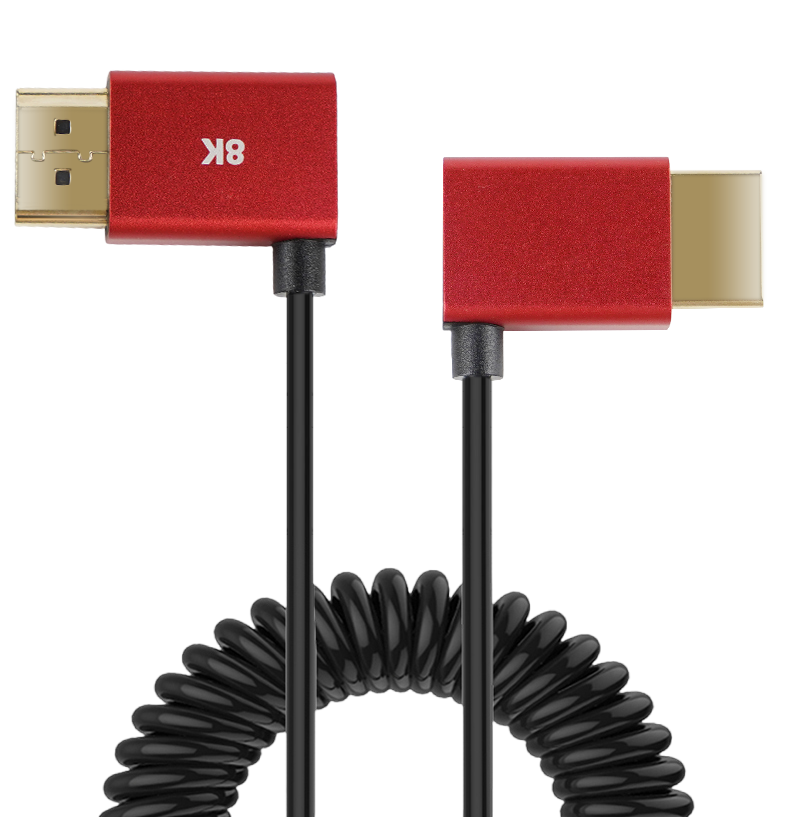
When you're pulling cable for an HDMI extender or balun setup, the choice between RG6 and RG11 often comes down to one number: attenuation. RG11 is thicker, with a larger center conductor, which means it loses less signal per hundred feet than RG6. For a 1080p signal running over HDBaseT or similar, that difference might not matter at 50 feet. But push the distance to 150 or 200 feet, and RG6 can drop enough high-frequency content to cause sparkles, dropouts, or a complete loss of sync. RG11 simply gives you more headroom before the signal falls off a cliff.
The real bandwidth difference isn't about a hard ceiling like “RG6 does 1.5 GHz and RG11 does 3 GHz.” It's about how cleanly each cable preserves the high-speed digital modulation that HDMI-over-coax relies on. At typical HDMI data rates, the signal occupies a wide swath of spectrum, and every bit of attenuation or return loss eats into the receiver's ability to recover the clock. RG11's larger diameter reduces both resistive and dielectric losses, so it maintains a flatter response across that spectrum. In practice, installers find that RG11 can carry a 4K signal 30–40% farther than RG6 before errors appear, assuming the same connectors and termination quality.
That said, RG11 isn't always the obvious winner. It's stiffer, harder to bend through tight conduit, and the connectors cost more. For short runs under 75 feet, RG6 handles full HDMI bandwidth without breaking a sweat, and the thinner cable is easier to dress into a rack. The bandwidth difference only becomes decisive when you're near the edge of what the extender can tolerate. If the manufacturer rates their transmitter for 230 feet on RG6, switching to RG11 might buy you another 80–100 feet of stable picture. For anyone who has fished a cable once and never wants to do it again, that extra margin often justifies the thicker copper.
The Shielding Gap That Lets EMI Wreck Your Signal
Most engineers assume a shielded cable means the signal inside is fully protected. That assumption breaks down the moment you look closely at the connectors, the drain wire terminations, and the inevitable gaps where the shield ends. High-frequency interference doesn't need a wide opening—it slips through the smallest discontinuity in the shielding envelope, couples onto your signal lines, and turns a clean waveform into a mess of spikes and wander.
The classic failure point is the pigtail connection. A short length of unshielded wire from the cable braid to the ground lug might look harmless on a DC resistance meter, but at hundreds of megahertz it becomes a series inductor with enough impedance to block the return path for common-mode currents. Those currents then radiate or find another route, creating a voltage gradient across the very shield that was supposed to keep them out. The result is not a total loss of signal, but something worse: intermittent, load-dependent errors that pass initial testing yet fail in the field.
Even a perfectly terminated shield can leave a gap if the connector shell doesn't make 360-degree contact with the cable braid, or if the enclosure has openings larger than a tenth of the shortest wavelength you care about. At 1 GHz, that's only three centimeters. A slot for a connector, a seam between lid and chassis, even a row of unshielded LED indicators—each one acts as a slot antenna, converting ambient EMI into differential noise on your PCB traces. Closing these shielding gaps isn't about adding more copper tape or ferrite beads; it's about redesigning the return path so there is no gap where the current can choose an unintended route.
Connector Choices That Make or Break Long HDMI Runs
The moment a long HDMI run starts acting up, people blame the cable length before checking the connector at either end. A flimsy shell that allows wiggle at the port, or contacts that don’t seat with enough friction, can create exactly the kind of intermittent signal drop that gets mistaken for bandwidth exhaustion. With 4K and high refresh signals, even a fraction of a millimeter of poor contact translates into sparkles, audio pops, or a full HDCP renegotiation loop.
Adapters and inline couplers are the quiet killers of extended runs. Every extra transition point adds a tiny reflection and a little insertion loss, which might not register on a short patch cable but becomes obvious over 30 or 50 feet. If you must join two cables, pick a coupler with a rigid PCB inside rather than a simple pass-through block, and make sure both connector ends are fully inserted and strain-relieved. Better yet, treat the connector as part of the cable and avoid splicing runs altogether.
For permanent installations, look at the mechanical side of the connector as much as the electrical side. A locking tab or a screw-down shell might seem overkill, but it prevents the slow creep that happens when a heavy cable hangs from a wall-mounted display for months. Corrosion is another factor: gold plating on contacts isn’t just marketing; in humid or coastal environments, it keeps impedance stable. A die-cast metal hood also doubles as a heat sink and shield, which matters when the connector sits near a warm AV receiver.
Real-World Bandwidth Needs for 4K HDR Over Coax
When people talk about 4K HDR over coax, the first number that comes up is often the uncompressed data rate—somewhere north of 12 Gbps for 4K60 4:2:2. That figure scares a lot of installers, but it has almost nothing to do with how most systems actually move video across existing RG6 or RG59. In real-world residential and light commercial setups, the signal is compressed with HEVC or AVC before it touches the cable. A high-quality 4K HDR stream from a Blu-ray player or a streaming box typically sits between 15 and 25 Mbps, with peaks around 40 Mbps for fast action or 60 fps content. Even older MoCA 2.0 bonded hardware can carry that without breaking a sweat, as long as the coax plant is in decent shape.
The catch is that coax rarely gets used for a single point-to-point feed. Most homes repurpose existing cable lines to carry multiple IP streams at once, and that's where the math changes. A 16-tuner gateway, a couple of Apple TVs, and a security camera system can easily demand 150–250 Mbps of sustained throughput on the same shared medium. MoCA 2.5 offers about 2.5 Gbps of total capacity in ideal conditions, but real-world throughput after overhead, splitters, and aging connectors often lands closer to 1.2–1.8 Gbps. That still leaves plenty of room, provided the network isn't fighting with DOCSIS 3.1 signals on the same frequencies or suffering from ingress noise.
Distance and passive losses matter more than headline bandwidth numbers. A 100-foot run of RG6 with two splitters can drop signal strength by 10 dB or more at MoCA's upper frequency range, which forces the PHY rate down and increases retransmissions. For 4K HDR streaming, that usually translates into buffering or reduced picture quality if the system falls back to a lower bitrate. The practical takeaway is simple: don't plan around the theoretical maximum. Test the actual coax path with a real MoCA or IP-over-coax adapter, measure sustained throughput under load, and keep per-stream allocation around 35–50 Mbps to leave headroom for HDR metadata, audio, and network overhead.
Troubleshooting Dropouts Without Replacing Every Cable
When a network connection keeps dropping, the instinct is often to start pulling new cable runs through walls and ceilings—but that's rarely the smart first move. Before you touch a single spool, power down the device at both ends and firmly reseat the connectors. A surprising number of dropouts come from jacks that have worked loose over time or from patch leads that aren't fully clicked into their ports. Swap the suspect link to a different switch port, too; if the problem follows the cable but not the port, you've narrowed things down without spending a dime.
Next, give the cable itself a slow visual inspection, especially near the connectors and any place it passes through a desk grommet or cable tray. Look for flattened sections, sharp bends, or a cracked RJ45 clip that lets the plug sit slightly proud of the socket. If you have a basic cable tester, run a continuity check while gently flexing the cable near both ends—intermittent breaks often only show up under movement. Don't ignore the little things: a tiny bit of corrosion on the gold contacts can cause exactly this kind of random dropout, and cleaning it with isopropyl alcohol costs far less than a new run.
Finally, consider the environment and the link partners before blaming the wire. Cheap power supplies near the cable path can inject noise, and some devices negotiate a link speed that's too aggressive for the cable's true capabilities. Try forcing the port to a lower speed or disabling energy-efficient Ethernet to see if the dropouts stop. If they do, you've found your culprit—and it probably wasn't the cable after all. Isolating one variable at a time keeps you from spending an afternoon replacing perfectly good cabling only to find the real issue was a flaky transceiver or an underpowered switch.
FAQ
HDMI signals are not natively designed for long coaxial runs, so you need active transmitters and receivers that convert the signal to a format coax can carry. The cable itself matters too: solid copper center conductor, dense shielding, and consistent 75-ohm impedance keep high-frequency losses low enough for 1080p or 4K to survive the trip. Standard HDMI cables fall apart beyond roughly 50 feet, while a good RG6 or RG11 setup can push much further.
Not if you want reliable results. Many cheap RG6 spools use copper-clad steel and loose braid, which is fine for cable TV but struggles with HDMI's bandwidth. Look for solid copper core, at least double shielding (foil plus braid), and a sweep rating to 3 GHz or higher. If the cable is old or was previously used for satellite or cable TV, water damage or crushed dielectric can also ruin high-frequency performance.
Expect roughly 40 to 60 meters for 4K60 with a decent HDMI-over-coax extender, while 1080p often reaches 70 to 100 meters. Real-world results depend on the transmitter power, receiver sensitivity, cable quality, and how many connectors or splices are in the path. Always test the full cable run with the actual source and display before closing up walls.
Latency is typically negligible because the signal is not buffered or compressed like streaming video; it is converted and sent in real time. Picture quality stays pixel-for-pixel identical as long as the signal arrives above the error threshold. If the cable is too long or poorly terminated, you will see sparkles, dropouts, or HDCP errors rather than a gradual softening of the image.
It can make or break the install. Loose or twisted-on F connectors, poorly seated center pins, and broken shield contact create impedance bumps that reflect high-frequency energy. Use compression connectors, strip the cable cleanly, and make sure the braid and foil have full 360-degree contact. A simple barrel connector in a wall plate can also introduce enough loss to kill a marginal 4K signal.
For in-wall runs, choose CL2 or CL3 rated cable to meet fire codes. For outdoor or direct-burial use, pick a jacket rated for UV and moisture, often marked as flooded or gel-filled. If the route passes near electrical wiring or fluorescent ballasts, use quad-shield coaxial cable and keep at least a few inches of separation to avoid interference.
Most current extenders pass through HDCP 2.2/2.3 and support CEC, but this is not universal. Some budget or older boxes only work with HDCP 1.4, which can block 4K content from streamers and Blu-ray players. Check the product specs for CEC and HDCP version, and if you rely on TV remote control through the system, confirm it with a real-world test before permanent installation.
The majority of HDMI-over-coax systems compress and send video, audio, control, and power over one RG6 or RG11 cable. A few high-bandwidth models use dual coaxial cables to maintain uncompressed 4K HDR at longer distances, but these are less common. Always read the installation manual because even single-cable systems may require a separate power inserter at one end.
Conclusion
Most HDMI-over-coax failures happen before the first frame even appears, and the root cause is rarely a defective cable. It's the quiet mismatch between what the source expects and what the coax path delivers. RG6 and RG11 are often treated as interchangeable, but their bandwidth behavior diverges sharply once you push 4K HDR signals beyond a few dozen meters. The real enemy, though, is not just attenuation; it's the shielding gap that allows EMI from nearby power lines, routers, or even fluorescent ballasts to corrupt the TMDS clock and data lanes. A connector that feels tight can still introduce reflections if the impedance step is wrong, turning a long run into a dropout factory. The practical takeaway: choose RG11 for runs over 100 meters, always use solid copper core rather than copper-clad steel, and verify that compression connectors are rated for 3 GHz or higher to preserve return loss.
For real-world 4K HDR over coax, the bandwidth demand is not a vague number. A 4K60 4:4:4 signal with HDR needs roughly 18 Gbps at the HDMI interface, but after HDBaseT or similar modulation, the coax carrier may only need to support 300–500 MHz of clean analog bandwidth. That is achievable with quality RG6 up to about 50 meters, but only if the shielding is at least 95% braid coverage plus foil. When dropouts occur, the instinct is to replace every cable, but troubleshooting should start with measuring the actual signal-to-noise ratio at the receiver, checking for micro-bends near tight corners, and swapping connectors before pulling new cable. A simple test pattern generator that cycles through solid colors can reveal intermittent sync loss faster than any expensive tool. By focusing on shielding integrity, connector impedance continuity, and honest distance limits, most HDMI coax runs can achieve flawless transmission without resorting to fiber or active repeaters.
Contact Us
Contact Person: David Yang
Email: [email protected]
Tel/WhatsApp: 8615814734054
Website: https://www.ebcyx.com/